
Paperclip Krux: a $70 hardware wallet that only signs XBT
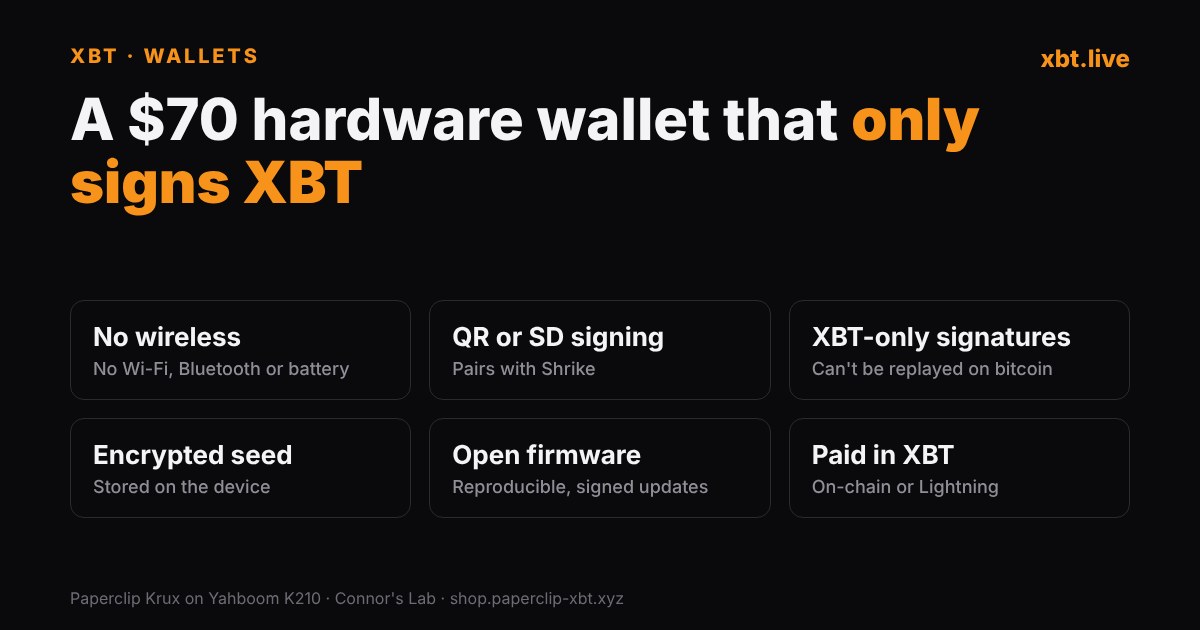
Connor's Lab is selling a $70 hardware wallet built for XBT. The Paperclip Krux runs an XBT fork of the open-source Krux firmware on a small Yahboom K210 device. It has no wireless at all, signs by QR code or SD card, and only signs XBT-style transactions, so nothing it signs can be replayed on bitcoin. You can only buy it with XBT. A new batch went up with Connor's new video. The last one sold out in about two days.
What you get
- The device: a Yahboom K210 with a touchscreen, a camera on the back and two buttons (reboot and select).
- No Wi-Fi, no Bluetooth, no battery. It isn't ESP32-based. It powers over micro USB. Connor suggests a battery bank rather than your computer, so nothing that moves data is plugged in while you sign.
- In the box: a seed backup card for 12 or 24 words and a micro USB cable.
- Price: $70, paid in XBT on-chain or over Lightning through XBTPay. Ships in the US and to a short list of other countries, including Canada, Mexico and Australia.
Why it's XBT-only
The firmware enforces what its release notes call "explicit unified SIGHASH_ALL (0x21)" signing and refuses legacy and raw-hash signing. In plain terms: every signature it makes is the XBT kind. Connor's point in the video is that a transaction signed on the stock firmware can't be replayed on bitcoin unless you flash different firmware. For anyone holding coins on both chains, that removes the easiest way to lose the wrong ones.
The feature Connor likes most
Unlike SeedSigner, Krux can keep your seed on the device, encrypted. You set a key, the device mixes in extra randomness from a camera shot, and it stores the encrypted seed on its flash. It survives a power loss. To sign, you load it from storage and type your key. You can still add a passphrase on top, and you can still store the seed on an SD card or not at all.
Treat this as convenience, not as your backup. The encryption is only as strong as the key you choose. In the demo, the device itself warned that a short key was weak. Keep the words on paper or steel too.
Making a seed
You can type words, roll D6 or D20 dice, or point the camera at anything and let it turn the image into randomness. Backups can go out as a compact SeedQR, a plain-text QR or an encrypted QR. It also does BIP 85 child seeds, message signing and xpub export.
Signing with Shrike
- Create or import the seed on the device.
- Export the xpub or zpub as a QR and import it into Shrike, the Sparrow fork for XBT. Search for Krux when adding the wallet. That gives you a watch-only wallet on the computer.
- Build the transaction in Shrike. It shows one or more QR codes.
- Scan them with the device, sign, then scan the device's QR codes back with your webcam.
It also works with the Paperclip Wallet iPhone beta on TestFlight. You can move the signed transaction by SD card instead of QR if you prefer.
Can you trust the firmware?
- Open source. The XBT fork is public: connorslab/krux-blake2b.
- Reproducible. The latest release says two clean builds produced identical firmware files, and that "You can reproduce these binaries without the private signing key."
- Signed updates. The device checks the signature on SD-card updates before installing them, against a dedicated Paperclip firmware key.
- It's new. The XBT fork is only weeks old. Krux itself has been around for years on bitcoin, but this build hasn't had long in the wild. Start with a small amount and check that the addresses match in Shrike before you send anything big to it.
"I think longterm the way for XBT to succeed is for us to be the security-minded group," Connor says in the video.
How it compares
A DIY SeedSigner build costs about $60 in parts and stores nothing. Paperclip Krux costs $70, comes ready to use and can store an encrypted seed. Both sign by QR and pair with Shrike. All XBT wallets, by platform: our wallet guide.
Paperclip Shop ↗XBT wallet guide
Sources: Connor's Lab video on the Paperclip wallet; Paperclip Shop listing; connorslab/krux-blake2b release notes v26.09.0-xbt.1 and xbt.2. xbt.live hasn't tested the device and has no affiliate deal with Paperclip. Not financial advice.
Have an XBT story? Write for xbt.live.